
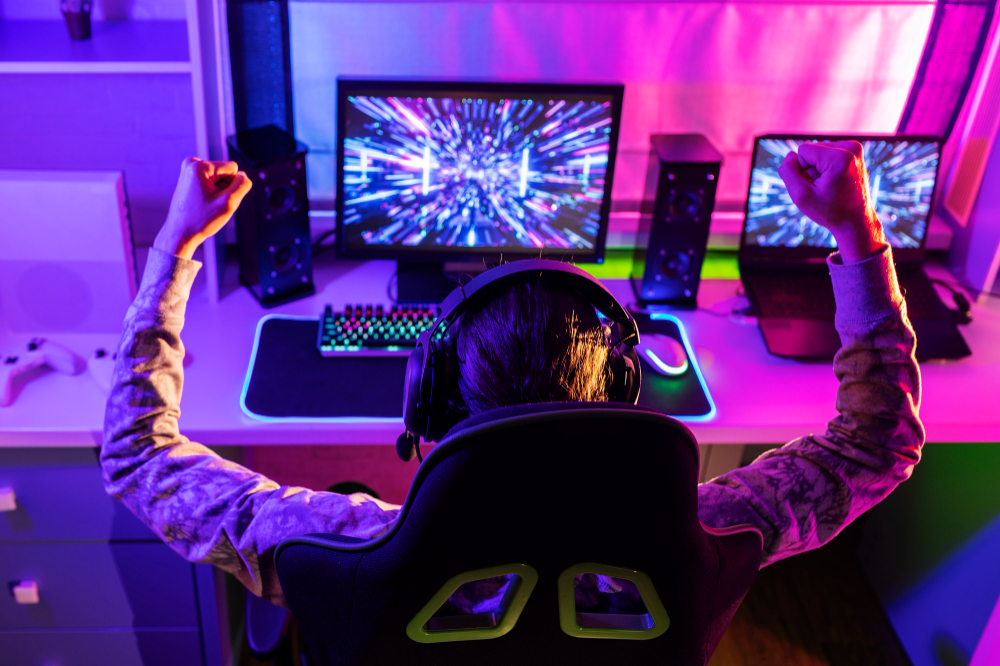
If you are a gamer, a monitor is not just another screen. It should offer an immersive gaming experience and deliver lightning-fast action for high-quality gaming action. A good monitor can also double as a study desk and be used to do research. There are countless options in the market with different refresh rates, response times, and resolutions. Which is the best for you? Let’s explore some of the things you will need to check when selecting a gaming monitor.
Determine Your Gaming Needs
Before diving into technical specs, assess your gaming preferences and setup. Are you into fast-paced esports titles like Valorant or Counter-Strike 2, where every millisecond counts? Are you a casino gaming player for whom HD graphics would do just fine? For casino gamers, Casino.Guide offers comprehensive information on the best games and casinos for professional gamers. Your gaming style influences the choice of features to pick.
Most people will also use the monitor for other tasks like conference calls, graphic design, and apps like Zoom. So, the ideal monitor should confidently offer the best of both worlds of tasks.
Key Specifications to Check Out
The Refresh Rate
The refresh rate is the number of times your monitor updates the image it is displaying. The higher it is, the more it will capture minute changes in a video game or a movie, resulting in a smooth motion. This refresh rate is measured in hertz (Hz).
Most standard monitors offer 60Hz. However, for gaming, go for monitors offering at least 120Hz or 144Hz. If you are looking for high-end monitors, go for between 240Hz to 360Hz. A 144Hz monitor can make tracking moving targets feel more fluid compared to a 60Hz display. However, higher refresh rates demand a powerful graphics card to deliver matching frame rates, so ensure your PC or console can keep up.
The Response Time
Response time measures how quickly a pixel can change colors, typically in milliseconds (ms). Lower response times (1 ms- 4 ms) reduce motion blur and ghosting. This makes fast-moving objects appear sharper and easier to track. If a monitor has a response time of over 5ms, you are likely to notice a blur in movies and high-end games.
If you have some cash to splash, go for monitors with a 1 ms response time. You will find them advertised as 1ms GtG or MPRT. TN panels typically offer the fastest response times, though IPS panels have improved significantly and provide better colors.
What is the Best Resolution?
Resolution is the pixel count of a monitor. This affects the sharpness of an image. Here are the most common options available in the market today.
1. 1080p (Full HD, 1920×1080)
This is the most common monitor resolution and offers full-HD imagery. It is affordable and ideal for esports gamers with mid-range PCs, as it requires less GPU power.
2. 1440p (QHD, 2560×1440)
Most professional gamers go for this resolution. It is a sweet spot for crisp visuals and manageable performance demands. This monitor resolution is great for both gaming and multitasking.
3. 4K (UHD, 3840×2160)
This screen resolution offers stunning detail for cinematic games. However, it requires a high-end GPU. So, invest in a quality GPU or PC before going for it. Besides, go for this if you have a space for a large screen, as it is overkill for smaller ones.
Panel Type: Colors vs. Speed
TN (Twisted Nematic)
TN offers the fastest response times. It is also quite affordable. However, it has poor color accuracy and viewing angles. It is great for gamers on a budget.
IPS (In-Plane Switching)
IPS is known for its vibrant colors and wide viewing angles. This makes it one of the most popular monitor panels out there. While most IPS panels have lower response times, most modern IPS panels often match TN response times. This panel is ideal for story-driven games and multitasking.
VA (Vertical Alignment)
This panel is known for high contrast and deep blacks. It is great for dark scenes in games like Resident Evil, but it has slower response times than IPS or TN.
What is the Ideal Size?
Your screen size determines your immersive experience. Your choice may also be influenced by the desk space. Here are the most common sizes with gamers.
- 24- 27 inches: These screen sizes offer between 1080p and 1440p resolution. It fits most desk spaces and budgets.
- 27- 32 inches: These screens are great for 1440p or 4K resolution. It offers immersive gaming and ample space for multitasking.
- Ultrawide (34- 38 inches): Provides a wider field of view for games like Forza Horizon 5. However, it requires more desk space and a powerful GPU.
Consider ergonomics like adjustable stands for height, tilt, and swivel to reduce strain during long gaming or study sessions. For students in cramped dorms, a 24- 27-inch monitor with a VESA mount for wall or arm mounting saves space.
Are There Other Features to Enhance Gaming?
You can enhance monitor gaming with other technologies out here. Here are some of these features:
Adaptive Sync
Screen tearing occurs when your GPU’s frame rate doesn’t match the monitor’s refresh rate. Adaptive sync technologies like NVIDIA G-Sync or AMD FreeSync synchronize the two, eliminating tearing and stuttering. Most modern monitors support FreeSync, which is more affordable, while G-Sync often comes at a premium. Ensure your GPU supports the monitor’s sync technology for a smoother experience.
HDR: Vibrant Visuals
High Dynamic Range (HDR) enhances color and contrast. This makes games have vivid landscapes. Look for monitors with DisplayHDR 400 or higher certification for noticeable improvements.
Check the Connection Ports
Check for ports like HDMI 2.0/2.1, DisplayPort 1.4, or USB-C to ensure compatibility with your PC, console, or laptop. HDMI 2.1 supports 4K at 120Hz, ideal for next-gen consoles like the PS5.
Ready for gaming? Get a monitor that best fits your needs. These are some of the features to check. Happy gaming!