
Roblox is much more than just a game – with thousands of different creations to choose from, players can enjoy everything from first-person role-play experiences to mini-games, obstacle courses, entire adventure games, simulators, and even educational content. The reason why many students try to find Roblox unblocked at school is precisely because of this variety – they are unable to enjoy all the different things that Roblox has to offer on their Chromebook at school thanks to blocked website access.
Games of any sort tend to be blocked in schools for a reason, usually because they can be very addicting and distracting, not to mention that some of them can use up a decent portion of the school’s bandwidth. Roblox also has the issue of being an online game that only works on a specific network, so being unable to access it is usually because you can not access the site.
So what can you do to get access to Roblox while at school? Let’s discuss your options.
Well, you can find some answers below, but make sure to always abide by your school’s rules and regulations. Here are 7 different ways to play Roblox at school; however, make sure to take all the necessary precautions.
What Does “Roblox Unblocked for School” Mean?
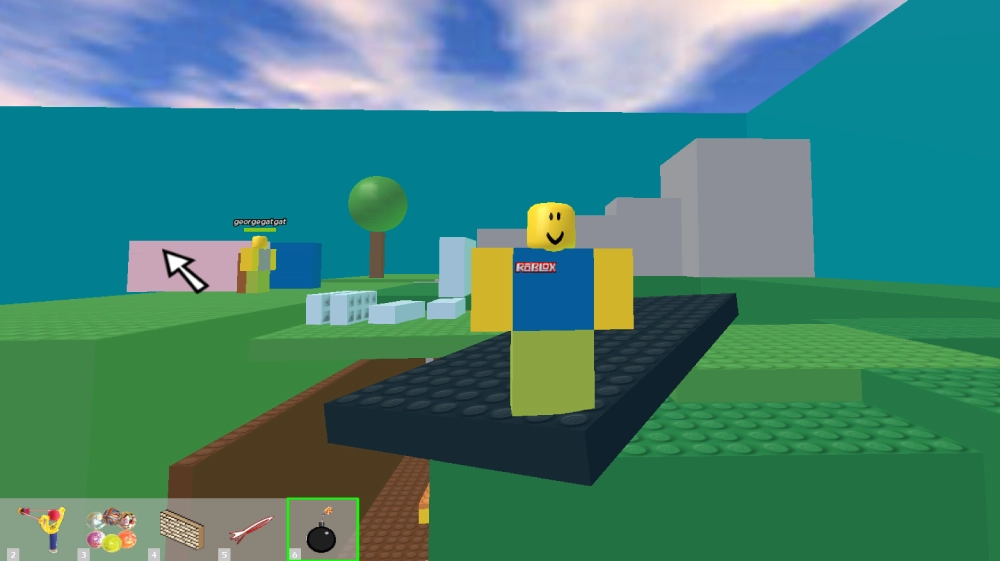
The term Roblox unblocked for school generally refers to accessing Roblox when a school’s internet filter, firewall, Wi-Fi network, or device restrictions prevent normal access.
There are actually two separate problems that can occur. The network may block Roblox’s website or the connections required to launch an experience. Alternatively, a school-owned device may prevent students from installing applications or changing network settings.
According to Roblox’s official troubleshooting guidance, education networks may need to allow certain Roblox domains and UDP ports for the platform to function correctly.
This means that simply finding an “unblocked” website is not necessarily the solution.
7 Ways to Play Roblox Unblocked at School
1. Use an Approved Cloud Gaming Service
Cloud gaming consists of running the game on a remote server and streaming it to the player’s device. In some circumstances where local installation is not an option, cloud gaming could serve as a viable alternative if the student can access the cloud-gaming service on the school’s network (the same service could be blocked by the administrator for the same reason that roblox is blocked).
If you want to use a cloud-gaming service, it will be important to ensure that you are utilizing legitimate sources and to investigate your school’s policy towards its acceptable use policy. The availability of the gaming service at no cost is offered through various locations on the Internet.
2. Play During an Approved Free Period
Sometimes the easiest solution is simply to play when your school allows personal device use.
If gaming is permitted during lunch, study hall, free periods, or after-school activities, you may be able to use your own device and an approved connection.
This doesn’t technically “unblock” Roblox, but it avoids the problem entirely. You aren’t attempting to defeat a school firewall; you’re simply using the platform at an appropriate time.
For anyone searching for Roblox unblocked for school, this is also one of the safest options.
25+ Free Roblox Accounts and Passwords: Unlocking Unlimited Fun
3. Ask the School to Whitelist Roblox
Roblox is not only a fun game, but it also provides Roblox Studio and educational tools that could help teach coding, game design, digital literacy, and more. If you need Roblox for a classroom activity, coding, or other school-related activity, ask your teacher or school computer administrator.
They may be able to allow the necessary Roblox domains or connections. Roblox provides documentation specifically for education networks, making this a more appropriate solution than trying to circumvent the school’s restrictions.
4. Use a Personal Connection When Permitted
A personal mobile connection can technically avoid restrictions placed on the school’s Wi-Fi because your device connects through a different network.
However, this should only be done if your school allows personal hotspots and mobile devices. Some schools specifically prohibit connecting school-owned computers to external networks.
There are practical limitations, too. Roblox can use considerable mobile data during longer sessions, while weak cellular coverage can lead to lag or sudden disconnections.
So, even when technically possible, a personal hotspot isn’t necessarily the best gaming experience.
5. Use Your Personal Device Outside the School Network
If Roblox is completely blocked at school, taking your gaming session off the school network is often the simplest solution.
You can use a personal phone, tablet, laptop, or home computer after school or during another time when gaming is allowed. This avoids changing settings on school-owned equipment or installing unauthorized applications.
It also reduces the temptation to use questionable “unblocked Roblox” websites that may put your account or personal information at risk.
For most students, waiting until they’re on an approved personal connection is far safer than attempting to bypass school security.
6. Check if Roblox is Actually Blocked
Before doing anything else, make sure that Roblox is actually being blocked.
Try opening up the official Roblox website to check if the site is being blocked, or if only Roblox experiences are being blocked. This likely means that Roblox itself is the problem, or your browser, or simply your network, and that the school isn’t actually blocking Roblox.
The official Roblox support page states that some school networks require extra permission in order to allow a Roblox experience to be launched. It is possible that, instead, another website is at fault.
Additionally, it is advised to attempt to access other sites not related to Roblox. If multiple sites are not working, the problem may be your school’s internet connection, and not Roblox specifically.
7. Find Educational Alternatives for School
It is possible that your school is blocking Roblox entirely for a reason. Instead of attempting to get around a school-imposed block, it may be best to comply entirely.
There are many educational options available either through your browser or as a downloaded application that your school may approve of. Roblox themselves have educational options for teachers and students alike, allowing you to learn how to make games in a more educational setting. This may be especially helpful in cases of school Chromebooks, where it may not be possible to even install software or make changes to the system.
After all, you can always come back to your favorite games after school, on a more permissive network.
What About Roblox Proxy and “Unblocked” Websites?
A simple search for “Roblox unblocked for school” will give you plenty of results, but most of them either give instructions for getting around the school firewall (proxies, etc) or are fake sites meant to get you to download malicious programs.
Avoid these sites, you never know what information you gave away when you signed into an unofficial proxy, what pop ups and scripts had viruses, or what phishing links it had planted
You should also avoid entering in any passwords to sites that aren’t school approved if you don’t want to get in trouble, or have your information leaked and used for malicious intent.
And if the site you are on makes you download an unknown file/addon just to play, avoid it.
Can You Use a VPN to Unblock Roblox at School?
VPNs can route internet traffic through another server, potentially changing how a website or service is accessed. However, that doesn’t mean using one at school is appropriate.
Many schools prohibit VPNs or block them through their network and device-management systems. School-owned devices may also prevent students from installing VPN applications or extensions.
If your school provides a VPN for an approved educational purpose, follow its official instructions. Otherwise, attempting to use one specifically to bypass school restrictions could violate school policies.
Is Roblox Unblocked for School Safe?
Not always.
Unofficial “unblocked” sites may try to harvest your login credentials, contain malicious pop-ups, or trick you into downloading viruses.
The best way to stay safe is to stick to official roblox accounts and connections.
If it is not the official roblox login screen, do not type in your password.
Your time and hard-earned money are much more valuable than playing a game for a few extra minutes.
FAQs About Roblox Unblocked for School
Can I use Roblox on a school chromebook?
It depends on your school’s devices/network. Your school might have Roblox blocked, prevent apps from being installed, or otherwise limit the use of gaming sites.
Is there a sure way to unblock Roblox at school?
Since each school has a different setup, there is no single solution to unblocking Roblox in school that will work everywhere. Many websites make it seem easy, but often have negative effects on your browser or expose you to malware or other dangers.
Is a proxy for Roblox safe?
Any proxy that you aren’t familiar with could have negative effects on your browser, privacy, and/or Roblox account itself. Do not enter your Roblox password into any proxy website.
Can a vpn server unblock roblox?
It is possible that a vpn could unblock Roblox if your school is blocking it in some way. But it is very possible that your school has ways of stopping that and you could get in big trouble.
Why does this happen?
Well, Roblox simply recommends reporting it to your school’s IT department, because it is very likely the school is blocking it themselves. While some schools completely ban Roblox, Some allow it to be played on certain devices.
Final Thoughts
While I can understand the desire to play Roblox at school when you get a spare moment, the difference between helping someone troubleshoot their Roblox connection and helping them get around school restrictions is huge.
The best options are to play Roblox on your own connection if it’s allowed, bring up the issue with school officials if you actually need to use Roblox, or just save it for after school.
Either way, avoid sketchy proxies, suspicious downloads, and giving away your Roblox password. The extra time spent on Roblox isn’t worth getting in trouble over.